
App preview
See how GR81 IPTV STUDIO works
Every part of the Studio, screen by screen. The numbers on each picture match the notes next to it.
Pictures with a demo list: every channel, film and series name in them is made up.
01 · Live TV
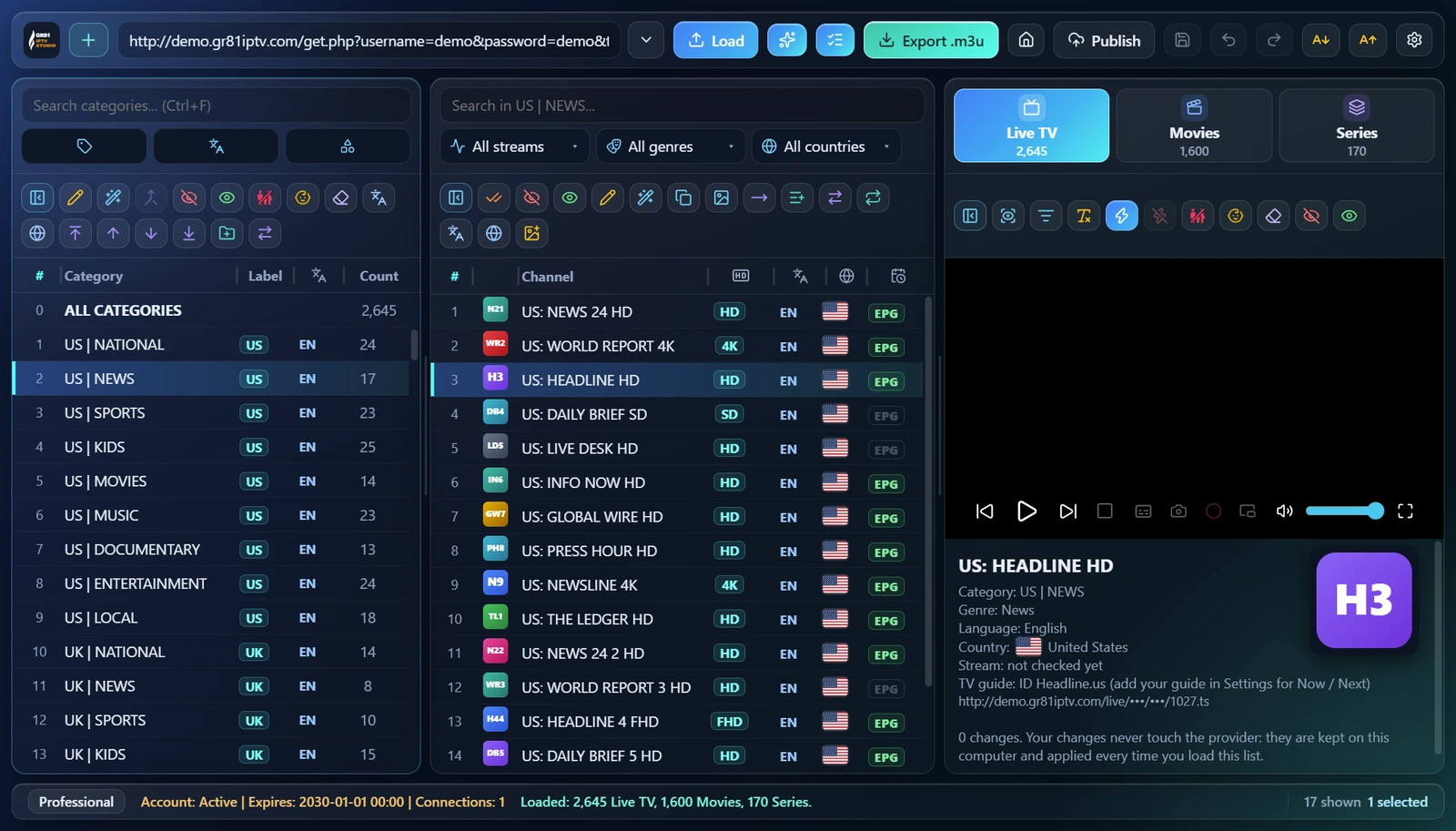
Your whole list on one screen
Categories, channels and the player side by side, with everything you need to know about each channel.
- 1Your listPaste a list link or a provider login and press Load. Lists you loaded before are one click away.
- 2CategoriesEach with its country label, language and count. Rename, merge, hide, move or drag them into your order.
- 3ChannelsLogo and name of every channel in the open category, with search and filters above.
- 4The marksPicture quality (SD, HD, FHD, 4K), language, country flag and the TV guide mark, at a glance.
- 5Live TV, Movies, SeriesThree tabs, each with its own count.
- 6Channel informationThe selected channel's details, its logo and the player above.
- 7Status barYour edition, your provider account (active, end date, connections) and what is loaded.
 123
456
7
02 · Movies
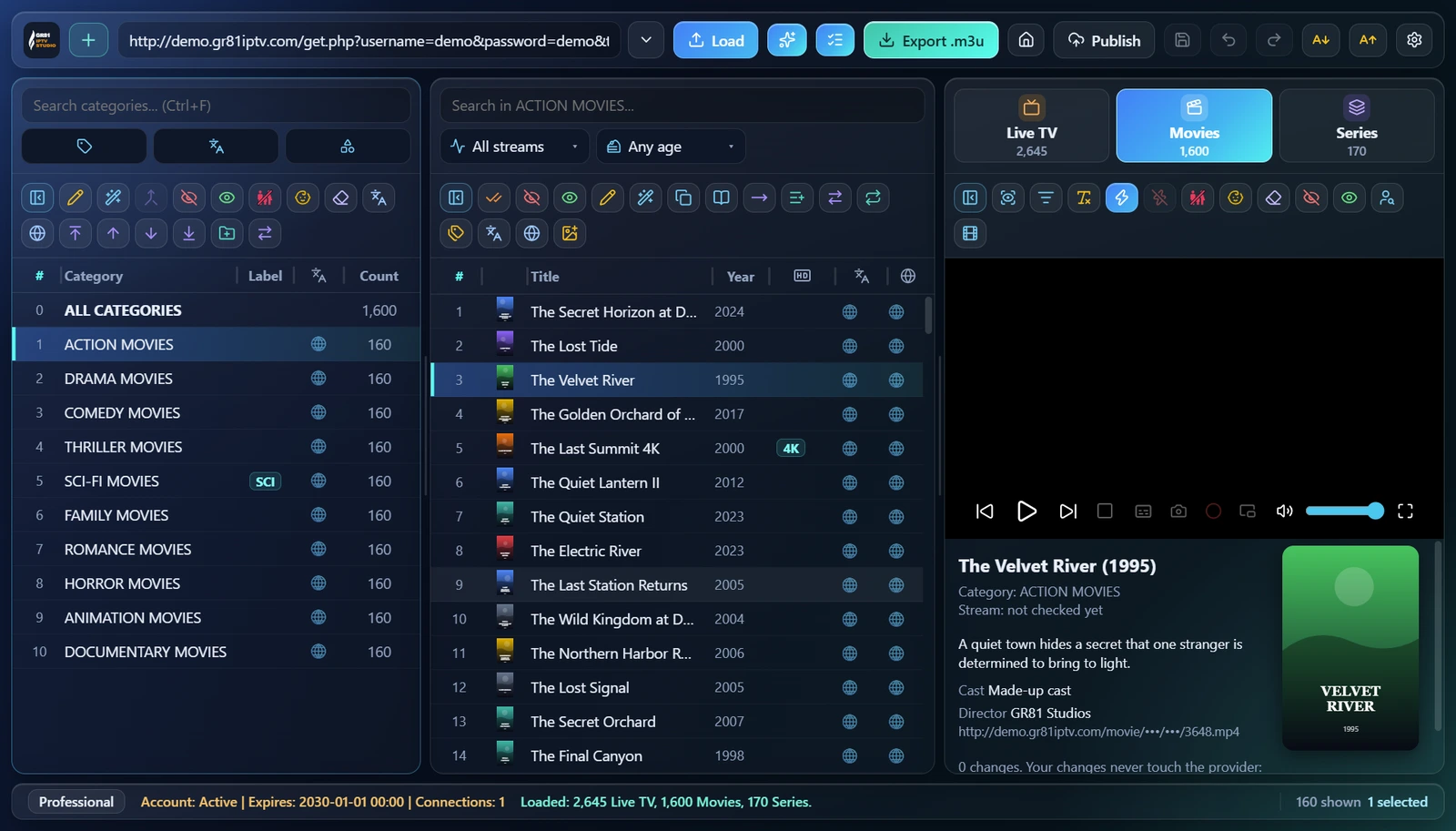
Every film, with its poster
Films in their categories with the year, quality, poster and story.
- 1Film categoriesAction, drama, comedy and the rest, as your list names them, or your own.
- 2Titles and yearsSort by name or year; 4K titles are marked.
- 3Poster and storyThe poster and the story of the selected film.
- 4Film toolsFind the film's information, subtitles and the trailer; set the genre or the poster.
 12
34
03 · Series
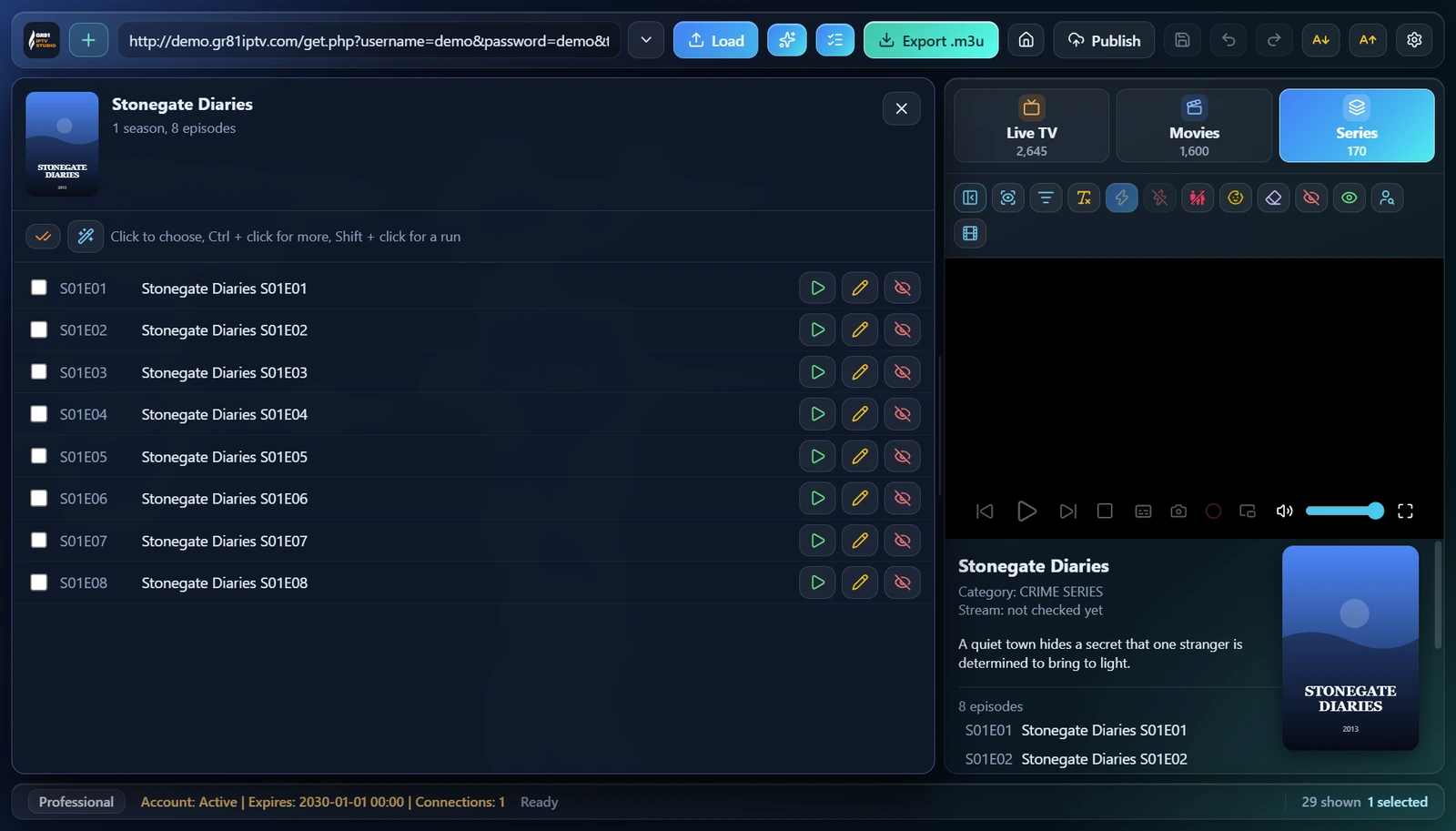
Seasons and episodes
Open a series to see all its seasons and episodes, and work on each one.
- 1The seriesPoster, name and how many seasons and episodes it has.
- 2EpisodesTick one or many: click, Ctrl + click or Shift + click.
- 3Play, rename, hideFor every episode, right on its row.
- 4Series informationThe poster, the story and the episode list next to the player.
 12
34
04 · Channel check
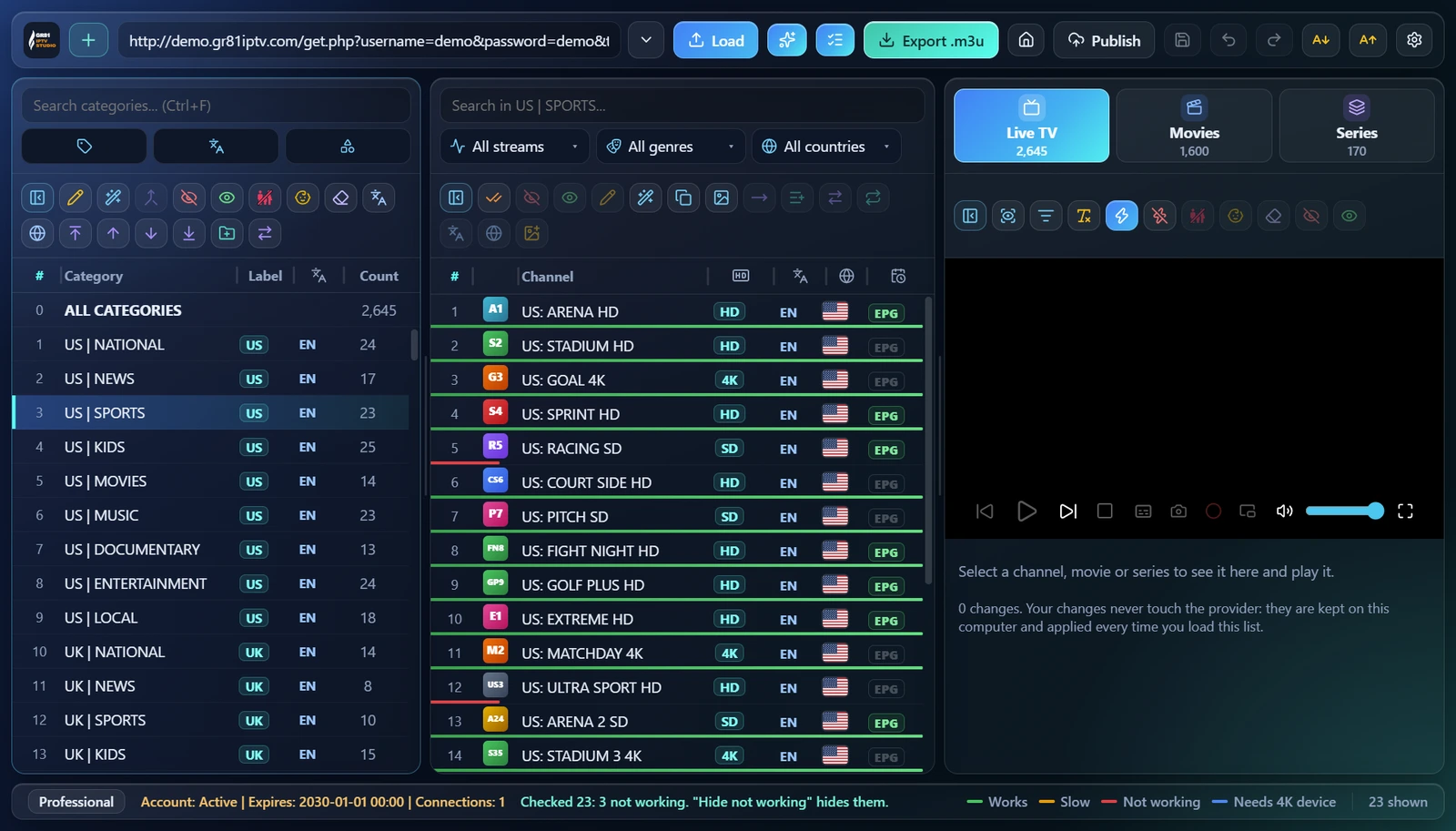
Know which channels work
Check a category or the whole list, and hide the channels that do not work in one click.
- 1CheckChecks the channels shown; the button next to it hides the ones that do not work.
- 2A line under each channelGreen works, yellow is slow, red does not work, blue needs a 4K device.
- 3The resultHow many were checked and how many do not work.
- 4The coloursWhat each line colour means, always in view.
 12
34
05 · Keep only
Keep only what you watch
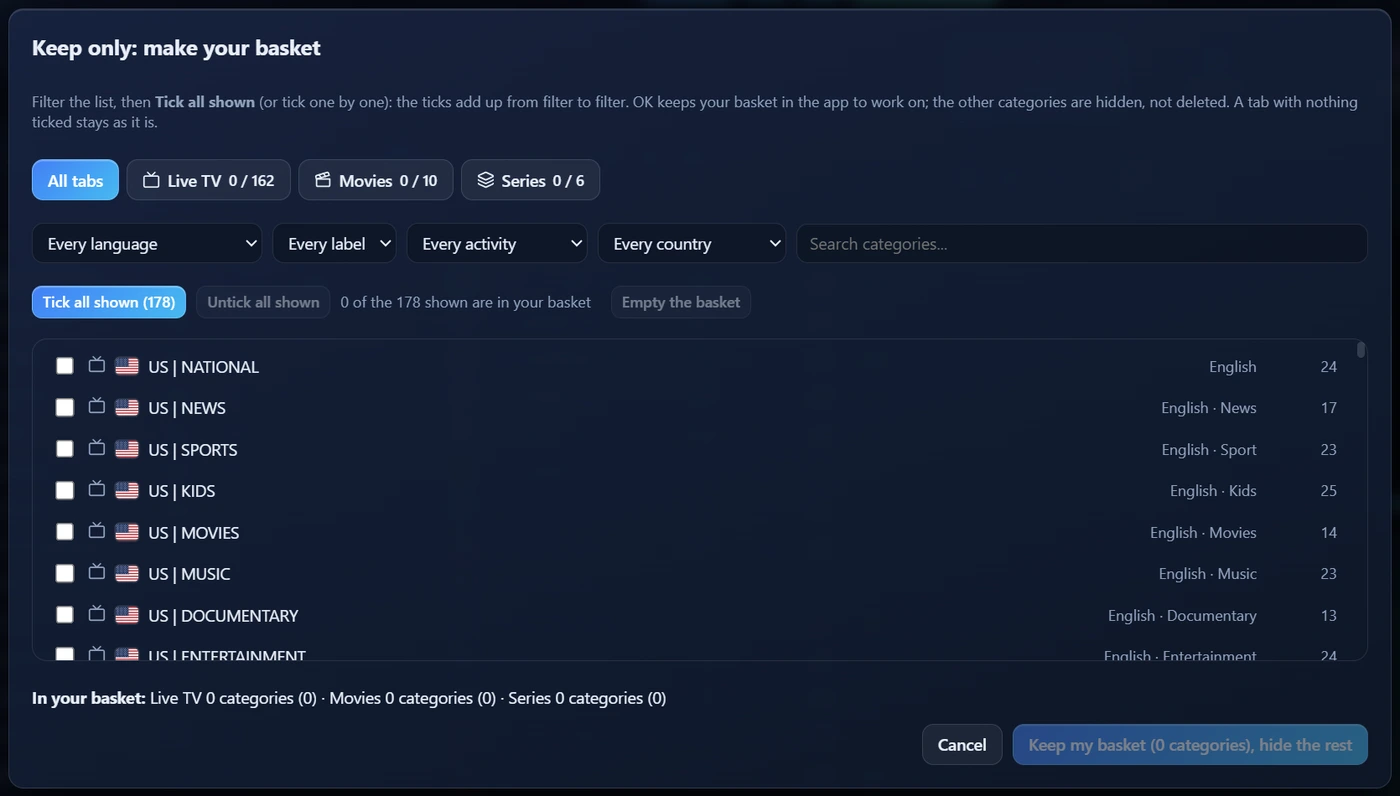
Make a basket of the categories you want; the rest is hidden, never deleted.
- 1All tabs or oneLive TV, Movies and Series in one basket, or one tab at a time.
- 2FiltersBy language, label, activity (sport, news, kids...) or country, or search.
- 3Tick all shownTicks everything the filter shows; filter again and the ticks add up.
- 4The categoriesWith their flag, language, activity and count; tick one by one too.
- 5Your basketKeep my basket: the other categories are hidden. Open it again to change it.
 12
34
5
06 · Smart playlist
One click to a clean list
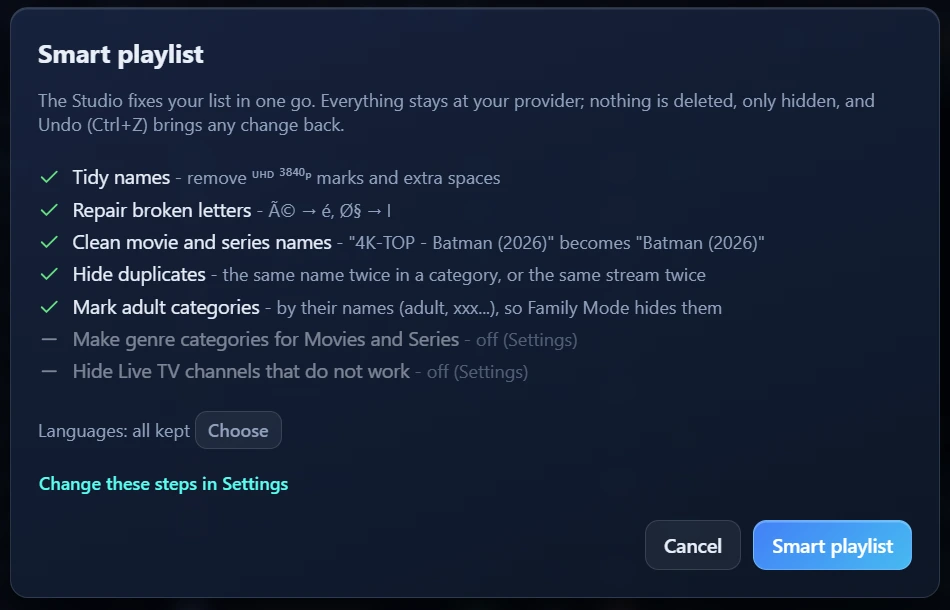
The boring work in one go. Nothing is deleted, only hidden, and Undo brings any change back.
- 1The stepsTidy names, repair broken letters, clean film names, hide duplicates, mark adult categories.
- 2LanguagesKeep all of them, or choose the ones you want.
- 3Your stepsTurn each step on or off in Settings.
- 4Smart playlistOne click and the whole list is done.
 12
34
Questions
Good to know
What is GR81 IPTV Studio?
Playlist management software for your computer. It cleans, sorts and checks your own list and sends it to any player.
Do you provide channels or movies?
No. The Studio contains no channels, films, series or lists and does not recommend any source. You load your own.
Does it change my provider's list?
Never. Your changes are kept on your computer and applied every time you load the list.
Which computers does it run on?
Windows 10 and 11 today. Mac and the app stores are coming.
How does the free trial work?
Sign in with your email and you have 7 days free with every tool, no card needed. Then Personal or Business, yearly (see Pricing).